

Overview
On-demand Confidential AI API provides an OpenAI-compatible interface for confidential inference. Requests go through Phala’s ACI gateway athttps://inference.phala.com/v1. The gateway runs in a TEE, publishes an attestation report, and signs a per-response receipt that you can verify.
For dedicated GPU resources with hourly pricing, see Dedicated Models. Both options use the same API surface; billing and resource allocation are the main differences.
Prerequisites
Before you begin, ensure you have enough funds to get the API key. You need at least $5 in your account. Go to Dashboard and click Deposit to add funds. Navigate to Dashboard → Confidential AI API and click Enable. Then create your first API key and click the key to copy.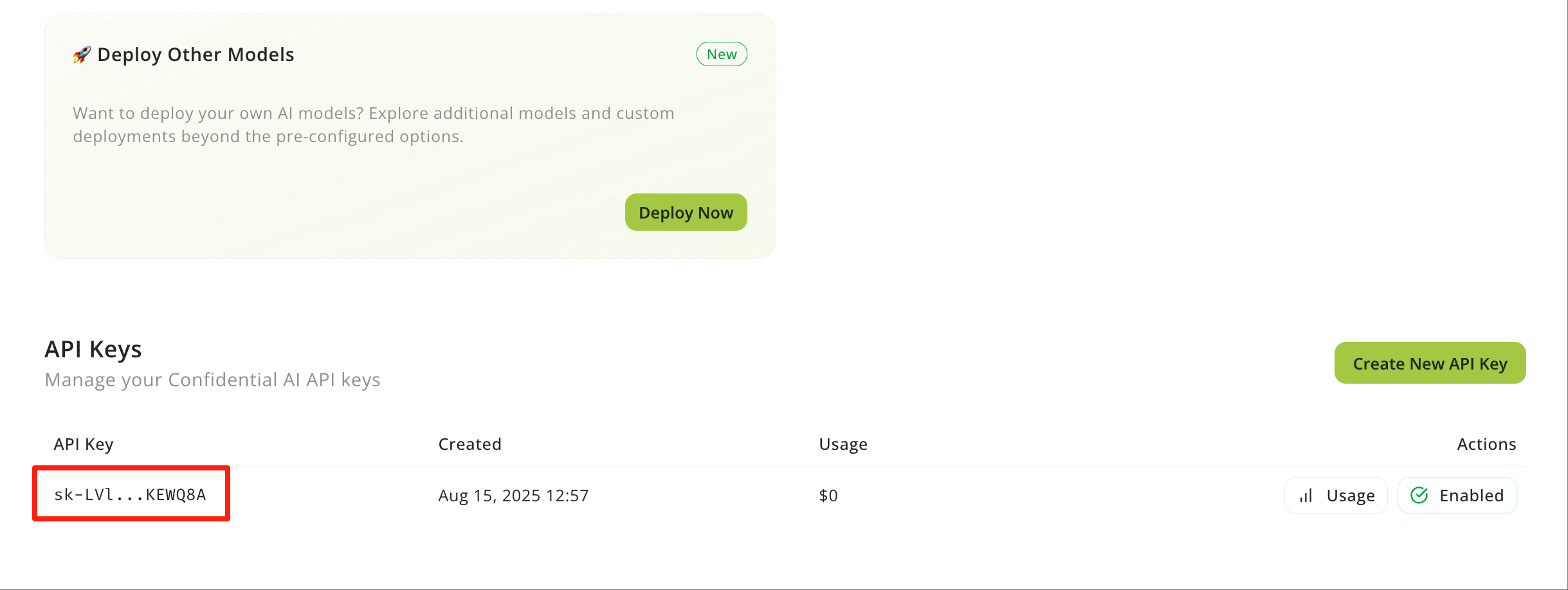
Make Your First Request
Replace<API_KEY> with your actual API key. The examples below use phala/qwen3.5-27b; use List Models to choose a model for your workload.
Confirm the Response Was Attested
Fetch the receipt with thex-receipt-id header:
result is verified and required is true. To verify the gateway identity and receipt signature end to end, follow Verify a Response.
Available Models
The live catalog is authoritative; query it before hardcoding model IDs:Phala Models
phala/qwen2.5-vl-72b-instruct is a legacy alias that may route to phala/qwen3-vl-30b-a3b-instruct. Prefer the canonical ID returned by /v1/models.TEE provider presence and confidential serving are not identical for every provider and model. Use
is_tee from /v1/models to find models that can be served confidentially, then verify the actual response with its x-receipt-id.Confidential inference and zero data retention are separate properties.
is_tee constrains who can read memory during execution. zdr constrains whether the upstream stores prompt or completion content after serving. Use GET /v1/models?zdr=true and provider: {"zdr": true} when retention is part of your policy.Verify Your AI is Running Securely
Before trusting receipts, fetch a fresh Attestation Report. Then fetch the Receipt for a response and verify that itsworkload_id and workload_keyset_digest match the report.
The legacy Signature endpoint remains available for older clients, but new integrations should use GET /v1/aci/receipts/{id}.
Next Steps
Use the API reference and feature guides for the next step:- Chat Completions documents the core request and response shape.
- List Models shows how to discover models programmatically.
- Get Receipt documents the canonical per-response proof.
- Embeddings covers embedding model calls.
- Tool Calling helps you call tools from your AI models.
- Images and Vision helps you use image-capable models.
- Structured Output helps you get JSON responses.
- Streaming helps you consume streaming responses.
- Zero Data Retention helps you route requests only to serving routes that do not retain prompt or completion content.
- Playground helps you test models in a private environment.